



 Bandra
 Kandivali
 Juhu
Juhu

In this section
- Computer Vision Syndrome Overview
- Computer Vision Syndrome Symptoms
- Computer Vision Syndrome Causes
- Computer Vision Syndrome Risk Factors
- Computer Vision Syndrome Diagnosed
- Computer Vision Syndrome Complications
- Computer Vision Syndrome Treatment
- Computer Vision Syndrome Prevent
- Computer Vision Syndrome FAQs
What Is Computer Vision Syndrome?
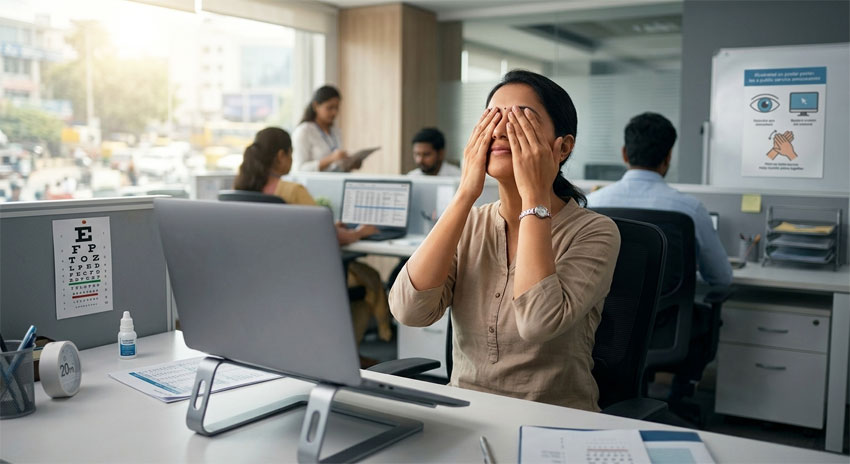
Computer Vision Syndrome (CVS), also called digital eye strain, is a group of eye and vision problems caused by prolonged use of digital screens like computers, phones and tablets. When you focus on screens for long hours, your eyes work harder than usual, leading to discomfort and fatigue.
Screens also produce glare and blue light, and people tend to blink less while using them. This makes the eyes dry and strained. Over time, this can affect visual comfort and daily activities.
With increasing screen use for work, study and entertainment, CVS has become very common in both adults and children. Early care and simple changes can help prevent long-term issues.
Though CVS is not a serious condition, but if ignored, it can affect your work, sleep and overall eye health. Simple steps like taking regular breaks, adjusting screen settings, maintaining proper posture and following the 20-20-20 rule can help reduce symptoms and keep your eyes comfortable.

What Are the Computer Vision Syndrome Symptoms You Should Not Ignore?
Computer vision syndrome (CVS) or digital eye strain, is usually temporary. But if you ignore the symptoms, it can lead to ongoing discomfort, reduced work efficiency and possible long-term eye problems.
A few important symptoms you should not ignore include:
- Tired and fatigued eyes: Constant screen use makes your eyes work harder than usual. This can lead to tired, heavy eyes and overall discomfort, especially after long hours.
- Frequent headaches: Pain around the forehead, temples or behind the eyes. This usually happens due to constant eye strain from long screen use.
- Light sensitivity: Discomfort when looking at bright lights or screens. It suggests your eyes are tired and need rest.
- Neck and shoulder pain: Stiffness or pain while working on screens. This is often due to poor posture and improper screen positioning.
- Ongoing blurred vision: Difficulty focusing on screens or distant objects even after resting your eyes. It may be a sign of eye strain or early vision changes, consult a doctor if it continues.
- Dry or irritated eyes: Burning, stinging or a gritty feeling in the eyes. Reduced blinking while using screens can dry out your eyes and cause discomfort.
- Double vision: Seeing two images of the same object. This indicates eye muscle fatigue and difficulty in proper eye coordination.
- Difficulty focusing: Trouble shifting focus from near to far objects. It may mean your eye muscles are strained from continuous screen use.
If you notice these symptoms regularly, it is best to consult an eye specialist for proper evaluation and care.

When Should You See an Eye Specialist for Computer Vision Syndrome?
You should visit an eye specialist if symptoms of computer vision syndrome like headaches, blurred vision, dry or watery eyes or neck and shoulder pain continue for more than 1 to 2 days, even after taking breaks and adjusting your screen habits. If you use screens regularly, it’s also a good idea to get your eyes checked at least once a year.
When to see a doctor quickly:
- Symptoms don’t improve: If discomfort continues even after following simple steps like the 20-20-20 rule.
- Need for new glasses: If your current glasses are not comfortable for screen use or you feel your vision has changed.
- Ongoing dry or watery eyes: If eye drops don’t help, it may need proper treatment.
- Severe headaches or eye pain: If pain is frequent or affects your daily work.
- Blurred or double vision: If you have constant trouble focusing or see double images.
An eye doctor can find the exact cause and may suggest computer glasses, eye drops or other treatments to give relief.
What Causes Computer Vision Syndrome?
Computer Vision Syndrome happens when you use screens for long hours without breaks. It puts extra pressure on your eye muscles and reduces how often you blink, leading to discomfort.
Main causes of computer vision syndrome:
- Long screen time: Using phones, laptops or tablets for hours makes your eyes focus continuously, causing fatigue.
- Wrong screen position: Sitting too close or placing the screen too high or too low strains your eyes and can cause neck and shoulder pain.
- Poor lighting or glare: Bright screens, reflections or dim lighting increase eye strain.
- Less blinking: You blink much less while looking at screens, which leads to dry, itchy, and irritated eyes.
- Uncorrected vision problems: Issues like farsightedness or astigmatism make your eyes work harder.
- Poor screen quality: Low resolution or flickering screens can stress your eyes more.
- Age-related changes: With age, focusing on nearby objects becomes harder, increasing strain.
Following the 20-20-20 rule - every 20 minutes, look at something 20 feet away for 20 seconds, can help reduce eye strain.
What Are the Risk Factors for Computer Vision Syndrome?
Computer Vision Syndrome or digital eye strain, is more likely when you use screens for long hours without proper care. It causes symptoms like dry eyes, eye strain and headaches due to less blinking and constant focusing.
Common risk factors for computer vision syndrome include:
- Too much screen time: Using phones, laptops or tablets for more than 2 to 6 hours daily increases the risk.
- Reduced blinking: You blink much less on screens, which leads to dry, itchy and irritated eyes.
- Uncorrected vision problems: Wearing the wrong glasses or not using prescribed lenses makes your eyes work harder.
- Poor workstation setup: Sitting too close, wrong screen height or glare from lighting can strain your eyes.
- No regular breaks: Not following simple habits like the 20-20-20 rule adds to eye fatigue.
- Dry environment: Air conditioning and low humidity can worsen eye dryness.
- Age and existing conditions: Older adults and people with dry eye issues are at higher risk.
Taking regular breaks, setting up your workspace properly and getting your eyes checked regularly can help reduce these risks.
Did you know?
- People blink less while using screens, increasing dryness.
- Even 2 to 3 hours of continuous screen use can cause strain.
- Blue light exposure may affect sleep patterns.
- CVS is temporary but can become frequent if ignored.
- Simple habits can prevent most symptoms.
What Effects Do Computer and Mobile Screens Have on Your Eyes?
Using computers, laptops and mobile phones for long hours can put extra pressure on your eyes. Digital screens make the eyes work harder because the text and images on screens are less sharp than printed paper. Constant focusing on screens can lead to eye strain, tired eyes and discomfort.
Blue light from screens may also disturb the body’s natural sleep cycle, especially when screens are used at night. This can cause poor sleep and increased eye fatigue.
Long-term screen use may also contribute to:
- Increased risk of myopia (nearsightedness), especially in children
- Dry, itchy or watery eyes due to reduced blinking
- Headaches and difficulty focusing
- Neck and shoulder pain from poor posture
- Increased dependence on glasses because of continuous near work
Simple steps like taking regular breaks, adjusting screen brightness, maintaining proper posture and using computer glasses when needed can help protect your eyes and reduce digital eye strain.
How Is Computer Vision Syndrome Diagnosed?
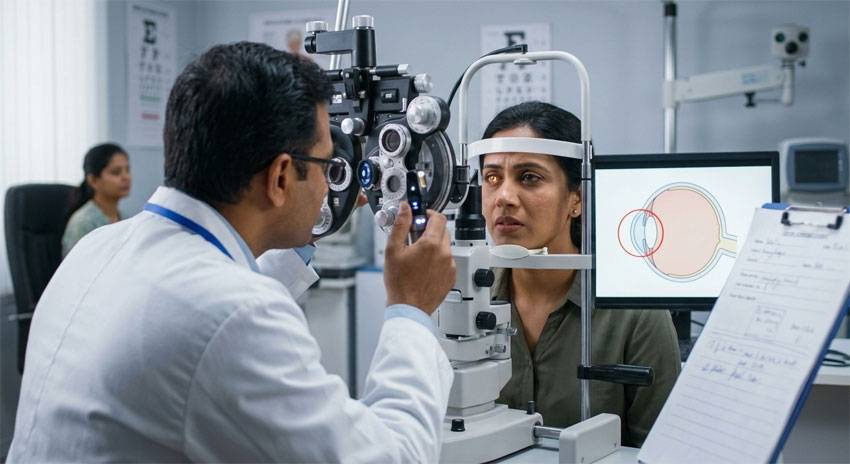
Computer Vision Syndrome or digital eye strain, is diagnosed through a detailed eye examination by an eye specialist. The doctor checks your vision, eye focusing ability and symptoms related to long hours of screen use.
Diagnosis usually includes:
- Medical history: The doctor may ask about your daily screen time, work habits, lighting conditions and symptoms like headaches, dry eyes or blurred vision.
- Visual acuity test: This test checks how clearly you can see and identifies problems like nearsightedness, farsightedness or astigmatism.
- Refraction test: This test helps determine whether you need glasses or an updated prescription for better screen viewing.
- Eye focusing and coordination check: The doctor evaluates how well your eyes focus, move and work together during near tasks.
- Dry eye evaluation: Reduced blinking during screen use can cause dryness, so tear film and eye moisture may also be checked.
- Posture and screen setup assessment: Improper screen position, glare or poor ergonomics may also contribute to symptoms and can be reviewed during evaluation.
An eye examination helps identify the exact cause of digital eye strain and allows the doctor to suggest the right treatment, screen habits and preventive measures.
What Are the Complications of Computer Vision Syndrome?
Computer Vision Syndrome can cause ongoing discomfort if not managed properly. Although the symptoms are usually temporary, untreated CVS can affect daily comfort, work performance and overall eye health.
Common complications of computer vision syndrome include:
- Eye strain and tired eyes: Long hours of screen use can make the eyes feel heavy, sore and fatigued.
- Dry and irritated eyes: Reduced blinking while using screens can cause dryness, burning, watering and irritation.
- Blurred or double vision: Continuous screen focus may make it difficult to see clearly or shift focus between near and distant objects.
- Headaches and migraines: Eye strain and constant focusing can lead to frequent headaches.
- Neck, shoulder and back pain: Poor posture during screen use may cause muscle stiffness and body pain.
- Difficulty focusing: The eye muscles may struggle to adjust focus properly after prolonged screen time.
Computer Vision Syndrome usually does not cause permanent eye damage, but it can greatly affect comfort, productivity and quality of life if ignored.
What Factors Can Make Computer Vision Syndrome Worse?
Certain habits and environmental factors can increase digital eye strain and make computer vision syndrome symptoms more severe.
- Incorrect glasses or untreated vision problems: Using the wrong prescription or not correcting vision issues can make the eyes work harder during screen use.
- Poor lighting and screen glare: Bright reflections, harsh lighting or excessive screen brightness can increase eye strain and discomfort.
- Dry surroundings: Air-conditioned rooms and low humidity can dry out the eyes and worsen irritation.
- Continuous screen time without breaks: Using screens for long hours without resting the eyes increases fatigue and focusing stress.
- Age-related vision changes: As people age, the eyes may find it harder to focus on near objects, increasing digital eye strain symptoms.
What Are the Available Computer Vision Syndrome Treatment Options?
Computer Vision Syndrome or digital eye strain, can usually be managed with simple lifestyle changes, proper eye care and better screen habits. Treatment mainly focuses on reducing eye strain, improving comfort and preventing dryness caused by long hours of screen use.
Common treatment options for computer vision syndrome include:
20-20-20 rule
Every 20 minutes, look at something 20 feet away for at least 20 seconds to relax the eye muscles and reduce strain.
Artificial tears and lubricating eye drops
These eye drops help keep the eyes moist and relieve dryness, burning and irritation caused by reduced blinking during screen use.
Computer glasses or prescription eyewear
Special computer glasses or updated prescription lenses can improve focus and reduce stress on the eyes while using digital screens.
Blue light protection
Blue light filters, screen protectors or blue light blocking glasses may help improve visual comfort and reduce screen glare for some people.
Proper screen position and ergonomics
Keeping the screen at the correct distance and slightly below eye level helps reduce eye, neck and shoulder strain.
Adjusting screen brightness and lighting
Reducing glare, improving room lighting and increasing text size can make screens easier and more comfortable to view.
Blinking exercises and regular breaks
Blinking more often helps prevent dry eyes, while short breaks during working on the screen reduces eye tiredness.
Limiting unnecessary screen time
Reducing screen exposure, especially before bedtime, may help decrease eye strain and improve sleep quality.
Regular eye check-ups
Eye examinations help detect vision problems like astigmatism, dry eye or focusing issues that may worsen computer vision syndrome symptoms.
If symptoms continue despite these measures, consult an eye specialist for a personalized computer vision syndrome treatment plan.
Key points to know:
- CVS is common and manageable.
- Regular breaks reduce strain.
- Proper lighting and posture matter.
- Early care prevents long-term discomfort.
When Should I Start Treatment for Computer Vision Syndrome?
You should start treatment if computer vision syndrome symptoms begin affecting your daily work, screen use or overall comfort.
Common signs include:
- Frequent eye strain or headaches
- Blurred vision after using screens
- Dryness, burning or eye irritation
- Difficulty focusing on near or distant objects
Visit your eye specialist at least once a year, even if your vision seems normal. However, do not wait for your regular check-up if you notice persistent eye discomfort, headaches or sudden changes in vision. Early consultation and timely treatment can help prevent worsening symptoms and improve visual comfort.
How to Prevent Computer Vision Syndrome?
Computer Vision Syndrome (CVS) can often be prevented by following healthy screen habits and making simple changes to your workspace. These steps help reduce eye strain, dryness and discomfort caused by long hours of screen use.
Ways to help prevent computer vision syndrome include:
- Follow the 20-20-20 rule: Every 20 minutes, look at something 20 feet away for at least 20 seconds to relax your eye muscles.
- Keep the screen at the correct distance: Place your computer screen about an arm’s length away and slightly below eye level for comfortable viewing.
- Blink more often: People blink less while using screens, which can cause dry eyes. Blinking regularly helps keep the eyes moist.
- Reduce screen glare and bright lighting: Use anti-glare screens, curtains or proper room lighting to reduce reflections and eye discomfort.
- Adjust screen brightness and text size: Keep the screen brightness comfortable and increase font size if needed to avoid squinting.
- Take regular breaks: Short breaks during long screen sessions help reduce eye fatigue and improve comfort.
- Use lubricating eye drops if needed: Artificial tears may help relieve dryness and irritation caused by prolonged screen use.
- Maintain proper posture: Sit comfortably with good back and neck support to avoid neck, shoulder and back pain during screen work.
- Limit unnecessary screen time: Reducing screen use, especially before sleeping, can help decrease eye strain and improve sleep quality.
- Get regular eye check-ups: Routine eye examinations help detect vision problems early and ensure your glasses prescription is up to date.
Simple lifestyle changes and proper screen habits can greatly reduce the risk of digital eye strain and help maintain long-term eye comfort and vision health.
What Are the Best Eye Exercises to Reduce Computer Vision Syndrome Symptoms?
Simple eye exercises can help relax the eye muscles, reduce digital eye strain and improve comfort during long hours of screen use. These exercises are easy to do at home or at work and may help relieve symptoms like dryness, tired eyes, blurred vision and difficulty focusing.
- Blinking exercise: Deliberately blinking more often helps keep the eyes moist and reduces dryness caused by prolonged screen use. Slow blinking helps spread tears evenly over the eye surface and improves comfort.
- Focus shifting exercise: Switching focus between a nearby object and a distant object helps relax the focusing muscles of the eyes. This exercise may reduce eye fatigue and improve focusing ability during continuous screen work.
- Palming technique: Rub your palms together gently and place them over your closed eyes for a few seconds. The warmth and darkness help relax the eye muscles and provide temporary relief from screen-related strain.
- Eye rolling exercise: Slowly rolling the eyes in circular movements may help relax stiff eye muscles and reduce eye fatigue caused by prolonged screen exposure.
- Near-to-far viewing exercise: Look away from the screen every few minutes and focus on distant objects. This helps reduce constant near focusing stress and relaxes the eyes naturally.
- 20-20-20 rule: Every 20 minutes, look at something 20 feet away for at least 20 seconds. This simple habit helps reduce focusing strain and is one of the most recommended ways to prevent computer vision syndrome.
Practicing these eye exercises regularly, along with proper screen habits and regular breaks, can help improve eye comfort and reduce digital eye strain symptoms.
What Questions Should You Ask Your Eye Specialist?
You can ask your doctor these simple questions:
- Are my symptoms due to screen use?
- Do I need computer glasses?
- How can I reduce eye strain?
- Are my screen habits correct?
- Do I have dry eye?
Book Your Computer Vision Syndrome Consultation at Ojas Maxivision Eye Hospital
If you are experiencing eye strain or discomfort due to screens, timely care can make a big difference. At Ojas Maxivision Eye Hospital, we offer advanced diagnosis and personalized care for digital eye strain.
If you are looking for an eye hospital in Mumbai or need computer vision syndrome treatment in Mumbai, our team is here to help you protect your vision and stay comfortable in the digital world.
Frequently Asked Questions About Computer Vision Syndrome
Yes, long hours of screen time can affect your eyes and lead to digital eye strain or computer vision syndrome. Common symptoms include tired eyes, dryness, headaches, blurred vision and difficulty focusing. Excessive screen exposure may also disturb sleep due to blue light exposure.
Common symptoms of computer vision syndrome include tired eyes, dry or watery eyes, blurred vision, headaches, burning sensation, light sensitivity and neck or shoulder pain. These symptoms usually become worse after long hours of screen use without proper breaks or correct posture.
Yes, headaches are a common symptom of computer vision syndrome. Long hours of screen use can strain the eye muscles and lead to pain around the forehead, temples or behind the eyes. Poor posture and screen glare may also worsen these headaches.
People blink less frequently while using digital screens, which causes tears to evaporate faster and leads to dry eyes. This can result in burning, irritation, redness or a gritty feeling in the eyes, especially during long hours of screen work.
No, computer vision syndrome and dry eye disease are different conditions, but they are closely related. Reduced blinking during screen use can dry the surface of the eyes and trigger dry eye symptoms like burning, irritation and watering.
There is no exact safe limit for screen time, but long continuous screen use increases the risk of digital eye strain. Experts recommend taking regular breaks, blinking often and following the 20-20-20 rule to reduce stress on the eyes during computer or mobile use.
The 20-20-20 rule is a simple way to reduce computer vision syndrome symptoms. Every 20 minutes, look at something 20 feet away for at least 20 seconds. This helps relax the eye muscles and improve comfort during prolonged screen use.
Yes, very bright or very dim screens can increase eye strain and discomfort. Screen brightness should match the surrounding room lighting. Proper contrast, font size and reduced glare can also help make screen viewing more comfortable for the eyes.
Yes, poor posture while using computers or mobile devices can lead to neck pain, shoulder stiffness and back discomfort, which are commonly linked with computer vision syndrome. Maintaining proper sitting posture and screen position helps reduce physical strain during screen use.
Yes, children are also at risk of computer vision syndrome due to increased use of smartphones, tablets, online classes and video games. Parents should encourage regular breaks, outdoor activities and healthy screen habits.
Yes, computer glasses are specially designed to reduce eye strain during screen use. These glasses may include anti-reflective coating, blue light filters and customized lens power for computer distance. They can improve comfort, reduce glare and help decrease symptoms of computer vision syndrome.
Yes, if you have a refractive error like nearsightedness, farsightedness or astigmatism, wearing the correct glasses can reduce eye strain during computer use. Computer glasses with anti-reflective coating may also improve comfort during long hours of screen work.
Yes, pre-existing vision problems like dry eyes, astigmatism, farsightedness or outdated glasses prescriptions can worsen computer vision syndrome symptoms. These conditions make the eyes work harder during screen use, increasing strain, headaches and blurred vision. Regular eye check-ups help identify and manage these issues.
Simple eye exercises may help relax the eye muscles and reduce digital eye strain symptoms. Common exercises include blinking exercises, palming, focus shifting, eye rolling and the 20-20-20 rule. These techniques may help reduce tiredness, dryness and difficulty focusing during long hours of screen use.
Yes, lubricating or artificial tear eye drops can help relieve dryness, irritation and burning caused by prolonged screen use. These drops help keep the eyes moist and comfortable, especially for people who spend many hours daily on computers or mobile devices.
Yes, reducing unnecessary screen time and taking frequent breaks can significantly improve computer vision syndrome symptoms. Following healthy screen habits, improving posture and keeping the eyes well-lubricated can help prevent symptoms from returning.
Yes, prolonged exposure to screens, especially before bedtime, may affect sleep quality. Blue light from digital devices can interfere with melatonin production and disturb the body’s natural sleep cycle, making it harder to fall asleep and causing eye fatigue.
No, computer vision syndrome does not usually cause permanent eye damage or blindness. However, untreated digital eye strain can lead to ongoing discomfort, poor concentration, headaches and reduced work productivity. Proper eye care and healthy screen habits are important to prevent worsening symptoms.
You should consult an eye specialist if symptoms like blurred vision, headaches, dry eyes or eye strain continue despite taking breaks and improving screen habits. Regular eye check-ups are important for people who spend long hours using digital screens every day.
The cost of computer vision syndrome treatment depends on the type of eye examination, medications, lubricating eye drops or glasses required. For an accurate estimate based on your symptoms and treatment needs, please contact the hospital via phone or email to book a consultation.
Yes, Ojas Maxivision Eye Hospital offers cashless eye treatment in Mumbai through selected insurance providers for eligible cases and procedures. The hospital is empaneled with organizations such as CGHS, RBI, NABARD and BSNL. Patients are advised to confirm their insurance coverage, approval process and treatment eligibility with the hospital before planning their consultation or procedure.
Ojas Maxivision Eye Hospital is located in Mumbai, Maharashtra, with centers in Bandra (West), Kandivali (East) and Juhu, making eye care services accessible and convenient for patients across different parts of Mumbai.
Key Facts About Computer Vision Syndrome
- It is caused by prolonged use of digital screens.
- Leads to eye strain, dryness and headaches.
- Common in both adults and children.
- Not permanent but can affect daily comfort.
- Preventable with simple lifestyle changes.
- Regular eye check-ups help early management.